License Explorer
Details of all the License detections and clues including Matches as well as files in which they were detected can be viewed using the License Explorer.
Refer - License Detection Updates
License Navigation Pane
User can scroll through the licenses and select particular license to see detailed information in the License details pane. Licenses are divided into two sections: - License Detections - License Clues
User can search for a particular license using the search bar at the top. These sections’ height & navigation pane’s width can be adjusted as per convenience.
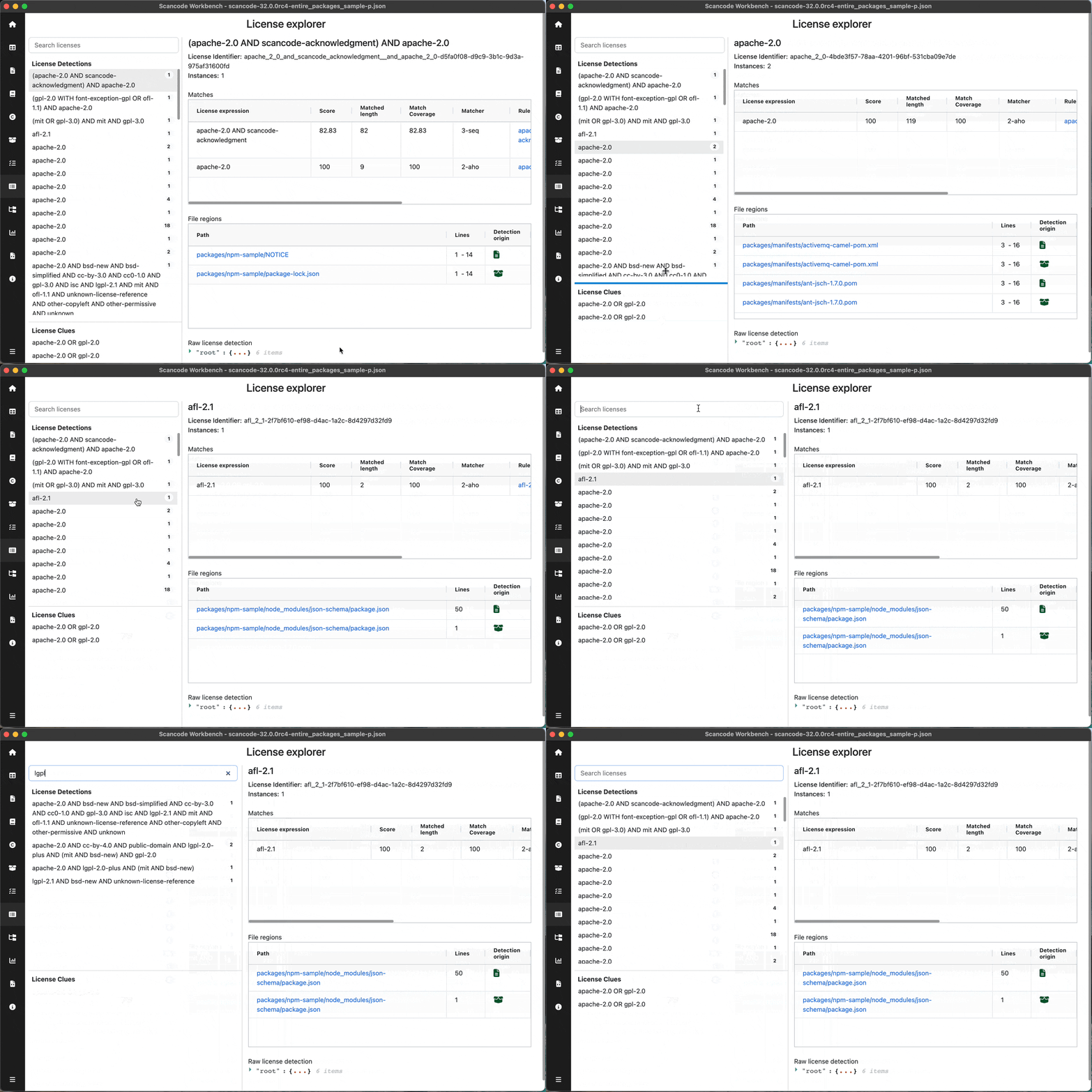
License Details Pane
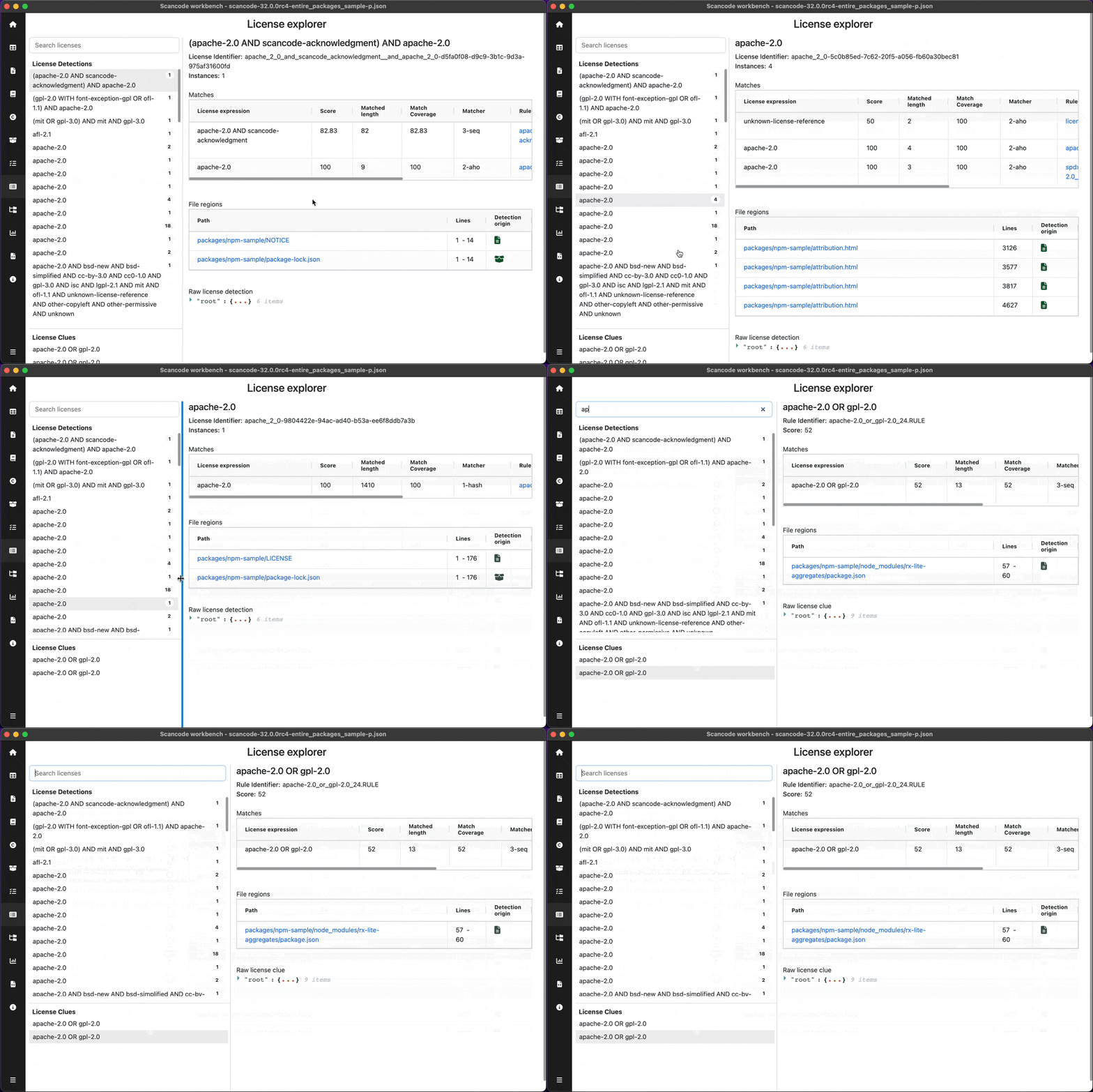
User can see detailed information of the license selected in the navigation pane. Title of details pane - License Expression Instances - No. of times license is detected Score - Clue’s confidence about the license (Shown only for clues)
Matches Table:
User can view the match details resulting the selected license :
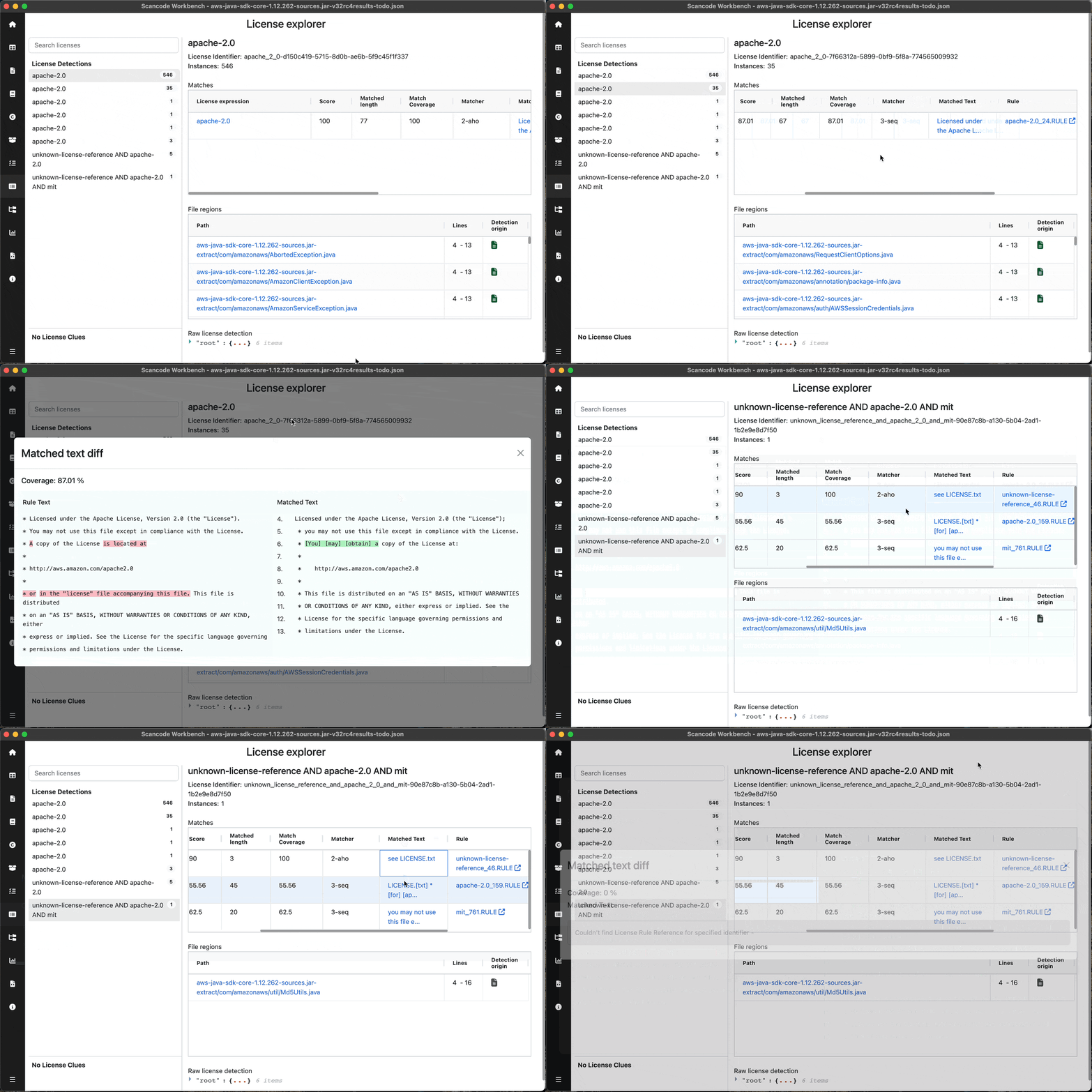
ScoreMatched lengthMatch CoverageMatcherMatched Text- User can click on the text to view a diff of Matched & Rule text(Requires
--license-referencesflag)
Rule- User can click on the Rule to open the rule used byScanCode Toolkit in browserSPDX License expression
File Regions Table:
User can view the files in which selected license was detected:
Path- Path of file, User can click on it to view the specific file in TableViewLines- Specific lines in the file at which license was detectedDetection origin- Type of file
View License details, go to & from file <-> license explorer
View Matched Text diff
Note
Refer the titlebar to see the name of the sample scan used in the screenshot. Sample scans: